Keep a price beside your work.
Put your selected pair in the Mac menu bar. Open the chart when you want a closer look, then get back to what you were doing.
Set up your Mac crypto ticker HODLTicker
Bitcoin & crypto. At a glance.
A price check should fit into your day. Keep your chosen pair in your Mac menu bar, then open HODLTicker for charts and crypto news.
Free download. In-app purchases.
Eligible new installs include a 7-day Premium preview. The preview does not start a subscription. A paid plan is a separate choice.
Mac · iPhone · iPad · Apple Watch · Apple TV
A little more
in the moment.
Less switching. More glancing.
Put your selected pair in the Mac menu bar. Open the chart when you want a closer look, then get back to what you were doing.
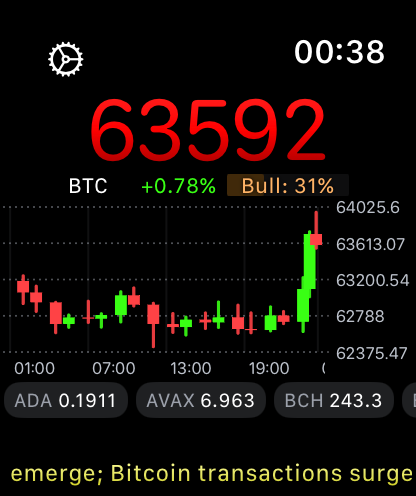
Set up your Mac crypto tickerCheck prices on iPhone and iPad, add a widget, or open HODLTicker on your Apple Watch. Choose the surface you will actually use.
iPhone, iPad & Apple WatchExplore charts and crypto news in the app. On Apple TV, give your market view room on the big screen.
Charts, news & Apple TVFeatures and presentation vary by device and access level. Widgets refresh on a schedule controlled by the operating system.
Find your daily glance.
Download HODLTicker, choose a pair and put it somewhere useful. Eligible new installs get seven days to explore Premium.
The preview ends without starting a subscription. If you choose Premium, review the available plans and local prices in the app.
Find HODLTicker on the App StoreFree download. In-app purchases.
A few useful details
HODLTicker is free to download and includes in-app purchases. Eligible new installs include a seven-day Premium preview that does not start a subscription. When the preview ends, you can continue using Free. Open the app to see the available paid plans and the features they include.
HODLTicker is available for Mac, iPhone, iPad, Apple Watch and Apple TV. The App Store shows compatibility for your device. Features and controls vary across devices.
Refresh behavior depends on the surface, access level, device settings and platform scheduling. Widgets are designed for a glance and can update less frequently than the open app.
Start with the Mac setup guide, or email [email protected] for help setting up the app.
The web ticker
Failed to fetch news. Please try again later.